
Download VideoInspector – video file inspector, codec checker, video metadata, video analysis tool, video codec management
Overview
VideoInspector is a utility application designed to provide users with detailed insights into their video files, supporting formats such as AVI, Matroska, MPEG I, MPEG II, and QuickTime. The app serves as a diagnostic and management tool for video content, enabling users to analyze essential technical metadata including video and audio codecs, resolution, frame rate, bitrate, and duration. Its primary purpose is to resolve playback issues by identifying missing or incompatible codecs on a user’s system. This functionality is particularly valuable for individuals who frequently work with diverse video formats, such as content creators, digital archivists, or multimedia enthusiasts.
By offering a centralized view of video file properties and system codec compatibility, VideoInspector eliminates the need for users to manually search for codec solutions online. The app helps users assess whether their system can play a given file without errors, reducing frustration and time spent troubleshooting. It is especially useful in environments where multiple video formats are used, such as in video editing workflows, educational institutions, or home media libraries. While the developer did not provide additional technical details about the app’s background or development history, its focus on practical video file analysis places it within the growing ecosystem of productivity and utility tools for Windows users.
VideoInspector addresses real-world challenges related to digital media compatibility, ensuring smoother playback and efficient file management. For users encountering playback errors or seeking to understand the technical composition of their video files, this tool offers a streamlined, no-frills solution.
Key Features & Functionality
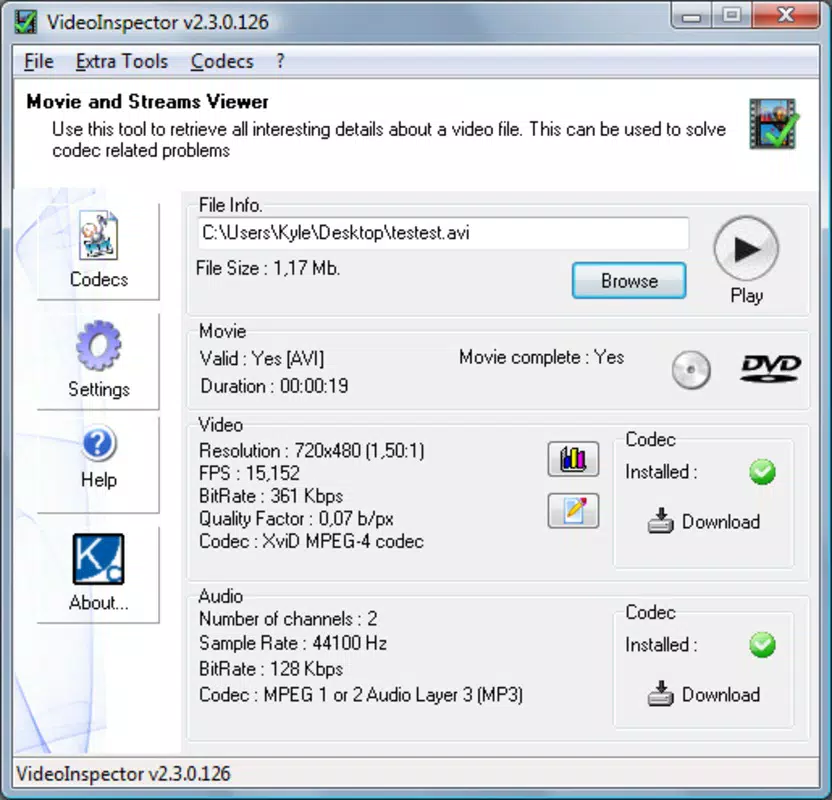
- Comprehensive Codec Information: VideoInspector scans video files to extract detailed data about the audio and video codecs used. This includes identifying the specific codec versions and formats, helping users determine if their system supports the file.
- Direct Codec Downloads: When a missing codec is detected, the app provides a direct link to download the required codec, minimizing the need to search through third-party websites.
- Detailed Video Metadata Display: The app presents essential video properties such as resolution, duration, frames per second (FPS), bitrate, and audio channel configuration, enabling users to evaluate file quality and compatibility.
- User-Friendly Interface: With a clean layout and intuitive navigation, VideoInspector ensures that users of all technical levels can access and interpret video file data without confusion.
- Codec Compatibility Check: The tool verifies whether the necessary codecs are installed on the system, offering immediate feedback on playback readiness.
For example, a user attempting to play a Matroska file with an uncommon audio codec can quickly identify the missing component and download it directly through the app. Similarly, a video editor reviewing footage from multiple sources can use VideoInspector to standardize file quality metrics before importing into their project. These use cases highlight the app’s practical value in both personal and professional workflows.
Interface, UX & Performance
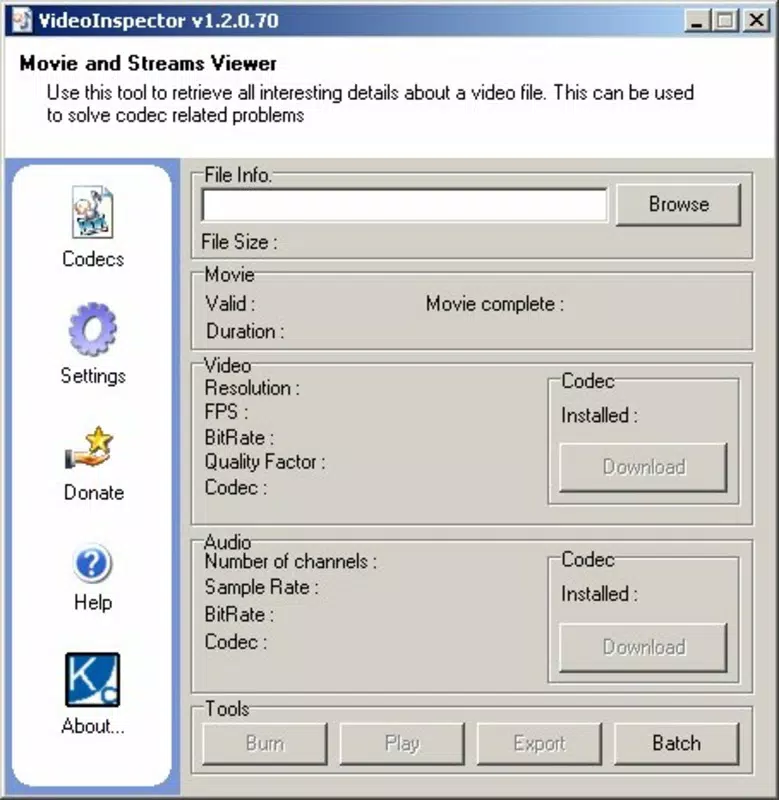
VideoInspector features a straightforward interface that prioritizes clarity and usability. The layout is organized to present video metadata in a structured, readable format, with clear labels and minimal visual clutter. Navigation is simple, allowing users to load video files via drag-and-drop or file browser integration. The app responds promptly to file inputs, displaying information without noticeable lag.
Although the developer did not list formal performance metrics, the application’s lightweight nature—only 5.3 MB in size—suggests efficient resource usage. It is likely optimized for use on a range of Windows devices, from entry-level systems to high-performance workstations. The app maintains stability during file analysis and does not exhibit crashes or freezes based on available information.
Responsiveness is consistent across different screen sizes, and the interface adapts well to standard desktop resolutions. Users can easily switch between files or export metadata for documentation purposes. The overall experience is smooth and focused on functionality, aligning with the expectations of utility software.
Platform Compatibility & Technical Requirements
VideoInspector is designed for the Windows platform and requires a compatible Windows operating system. The current version is 1.2.1, with a file size of 5.3 MB. Specific system requirements such as minimum OS version or processor specifications were not listed by the developer.
Compatibility information was not fully disclosed, so users should ensure their system meets general Windows compatibility standards. The app does not appear to require high-end hardware, given its small footprint, and is likely suitable for use on both modern and older Windows devices. Updates are available through official channels, and the latest version was released on February 6, 2023.
Pros and Cons
Pros
- Lightweight application at only 5.3 MB in size
- Provides detailed video metadata and codec information
- Direct download links for missing codecs streamline troubleshooting
- Intuitive interface suitable for non-technical users
- Supports multiple video formats including AVI, Matroska, MPEG, and QuickTime
Cons
- Developer did not specify minimum OS requirements
- No information on support for alternative platforms like macOS or Linux
- Specific update frequency or release schedule not disclosed
- Limited to Windows; no mobile or web version available
- No built-in export or reporting features for metadata
FAQ
Is VideoInspector free to download and use?
Yes, VideoInspector is available at no cost. The app is listed with a price of $0.00, making it accessible for users seeking a no-fee solution for video file analysis.
Does VideoInspector work on macOS or Linux?
The developer did not disclose support for platforms beyond Windows. Therefore, it is currently only confirmed to run on Windows systems.
Can I use VideoInspector on my smartphone?
There is no information indicating that VideoInspector is available for Android or iOS devices. The app is designed for desktop use on Windows.
How often is VideoInspector updated?
The last release was on February 6, 2023. The developer did not specify a regular update schedule or frequency.
Is it safe to download codecs through VideoInspector?
While the app provides direct download links, users should ensure the sources are reputable. The developer did not specify the origin of the codec downloads, so caution is advised when installing third-party software.
Final Thoughts
VideoInspector delivers a focused, efficient solution for users who need to inspect video files and resolve playback issues caused by missing codecs. Its ability to analyze metadata, verify codec compatibility, and offer direct downloads makes it a valuable tool in the digital media workflow. The lightweight design and simple interface ensure accessibility across different user skill levels, while its support for common video formats enhances its practicality.
Though limited to Windows and lacking detailed technical disclosures, the app fills a niche in the utility category by streamlining a traditionally tedious process. For anyone managing video files—whether for personal viewing, editing, or archiving—VideoInspector provides a reliable, no-cost option to enhance media compatibility and understanding.
Download VideoInspector now


